How to sign a PDF on your phone (iPhone and Android)
Someone has sent you a lease, a contract or a form to sign, and you're away from a printer. You don't need one, or an app either.
Here's how to sign a PDF or a Word document right in your phone's browser, on an iPhone or an Android phone, and get a signed PDF back in about a minute.
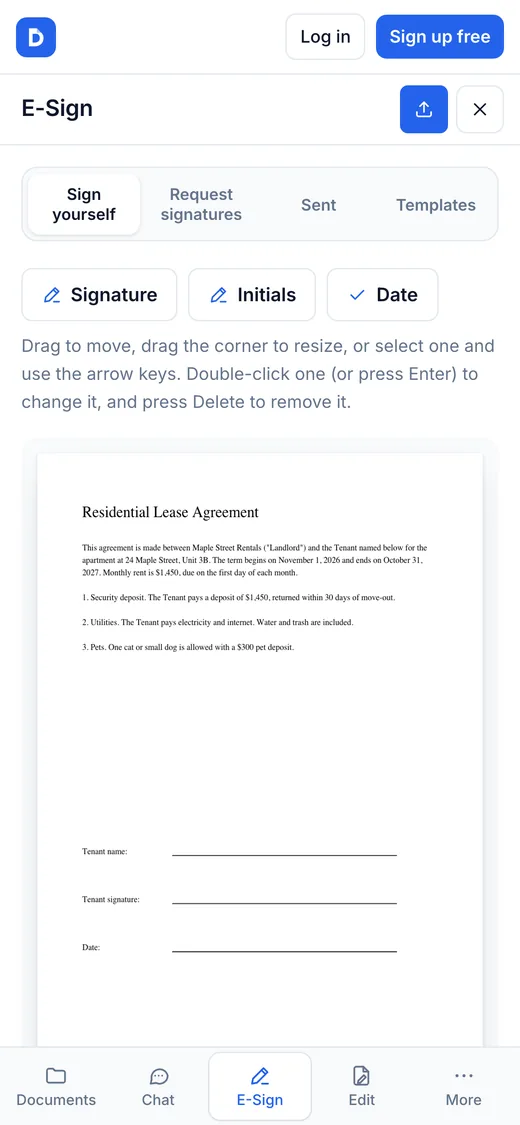
Choose a document to signStep by step
- Save the document to your phone. On an iPhone, open the attachment and tap Share, then Save to Files. On Android, tap the attachment and download it.
- Open dokkiman.com/sign-pdf in Safari or Chrome and tap the button to choose your document (a PDF or a Word file, up to 50 MB).
- Tap Signature. Type your name, draw your signature with your finger, or upload a picture of it, then tap Add signature.
- Drag the signature onto the signature line. Drag its corner to make it bigger or smaller. Add Initials or the Date the same way if the document asks for them.
- Tap Sign & download. The signed PDF is saved to your phone, ready to send back.
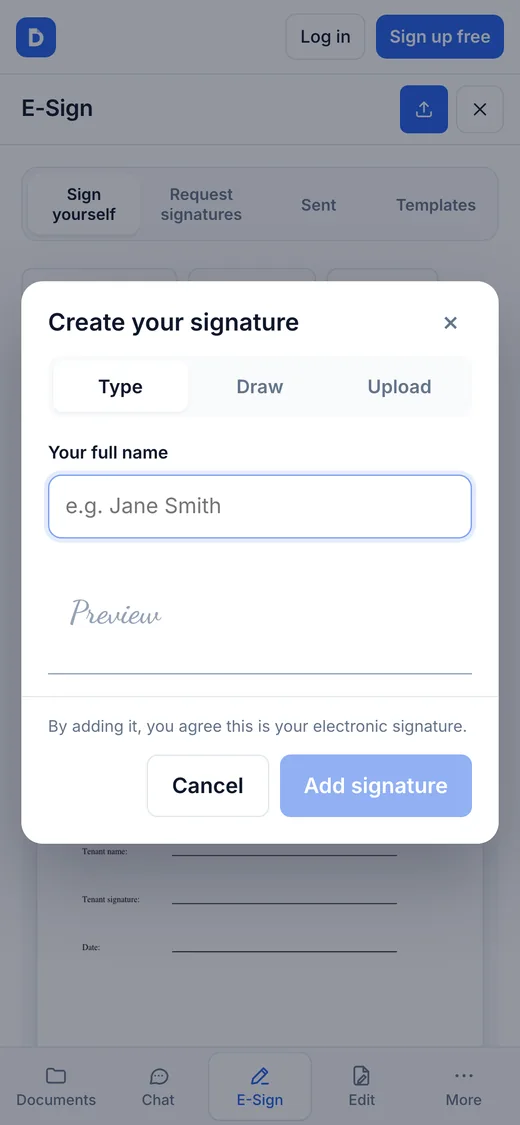
Three ways to make your signature
- Type: enter your full name and it's written in a handwriting-style font.
- Draw: sign with your finger on the screen, like on paper.
- Upload: use a photo or scan of your real signature on white paper.
Whichever you choose, you confirm that it's your electronic signature when you add it.
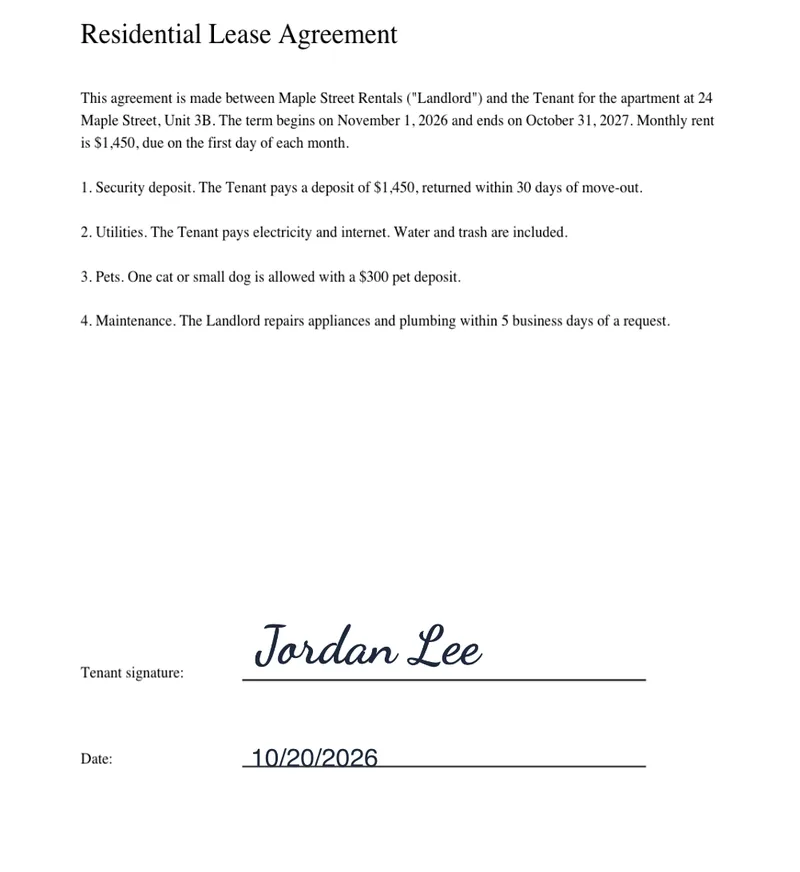
What the signed copy looks like
Your signature and the date are added to the page exactly where you put them, and the document is saved as a PDF, so the layout can't shift when the other person opens it.
Dokkiman also adds an audit trail page: who signed, when, from which IP address, and a fingerprint of the document before and after signing, so any later change can be spotted.
Is a signature made on your phone legally binding?
For most contracts and agreements, yes. In the US, the ESIGN Act and UETA give electronic signatures the same legal effect as handwritten ones when the signer means to sign and a record is kept. A few documents, like wills and anything that must be notarized, still need ink. Our guide to e-signature law explains the details. This is general information, not legal advice.
Need someone else to sign?
To get a document signed by other people, use Request signatures instead: you place where each person signs, and they sign from an emailed link on their own phone, without an account. You get the signed copy and a certificate of completion when everyone has signed.
Common questions
- Do I need to install an app?
- No. Everything happens in your phone's browser, in Safari or Chrome.
- Is it free?
- Yes. Signing a PDF yourself is free, without an account.
- Can I sign a Word document?
- Yes. A Word document (.docx) is turned into a PDF so its layout can't shift, then you sign it like any PDF.
- Is my document kept?
- Not unless you choose to save it to your Document Manager, which needs an account. We never share it.