How to make a scanned PDF searchable (OCR)
You press Ctrl+F (or Find on Page) in a PDF and nothing is found, even though you can see the word right there. That's because the PDF is a scan: a picture of the page, with no text inside it.
Text recognition, called OCR, fixes that. Here's how to make a scanned PDF, or a photo of a document, searchable in a few seconds, so you can find, select and copy its text.
Choose a scan or photoIs your PDF a scan?
Try selecting a word with your mouse or finger. If you can't highlight just the word, or the whole page gets selected like an image, it's a scan. The same goes for photos of documents you took with your phone.
Step by step
- Go to dokkiman.com/ocr-pdf and tap Choose a scan or photo. You can use a PDF, or a JPG, PNG or WebP photo.
- Tap Make searchable. The text on each page is recognised and laid, invisibly, over the page where the words are.
- Your searchable PDF downloads. It looks exactly like the original, but now you can search it, select words and copy them.
Photos work too, even crooked ones
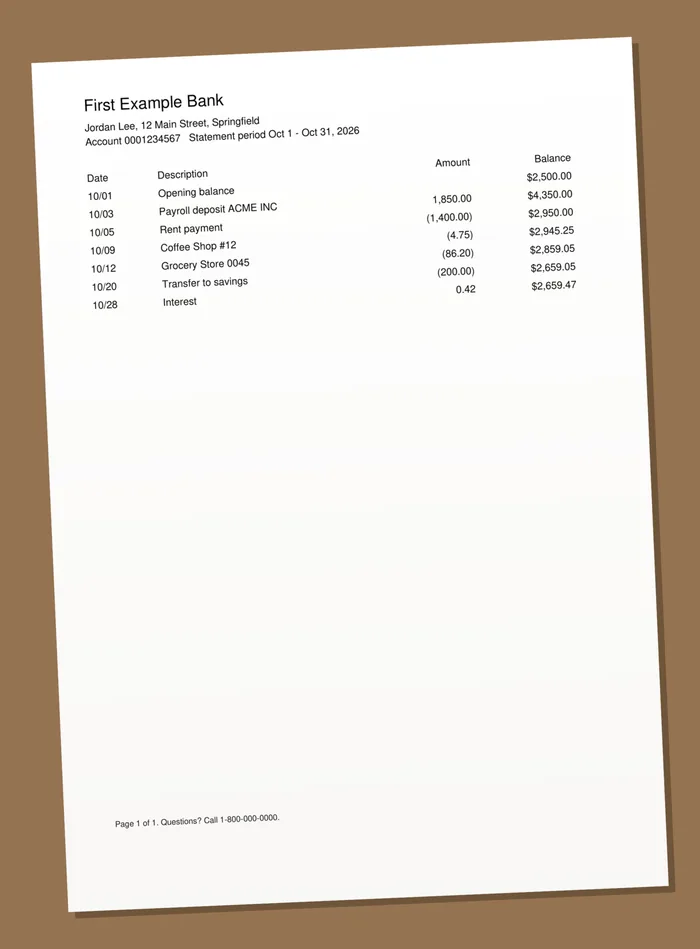
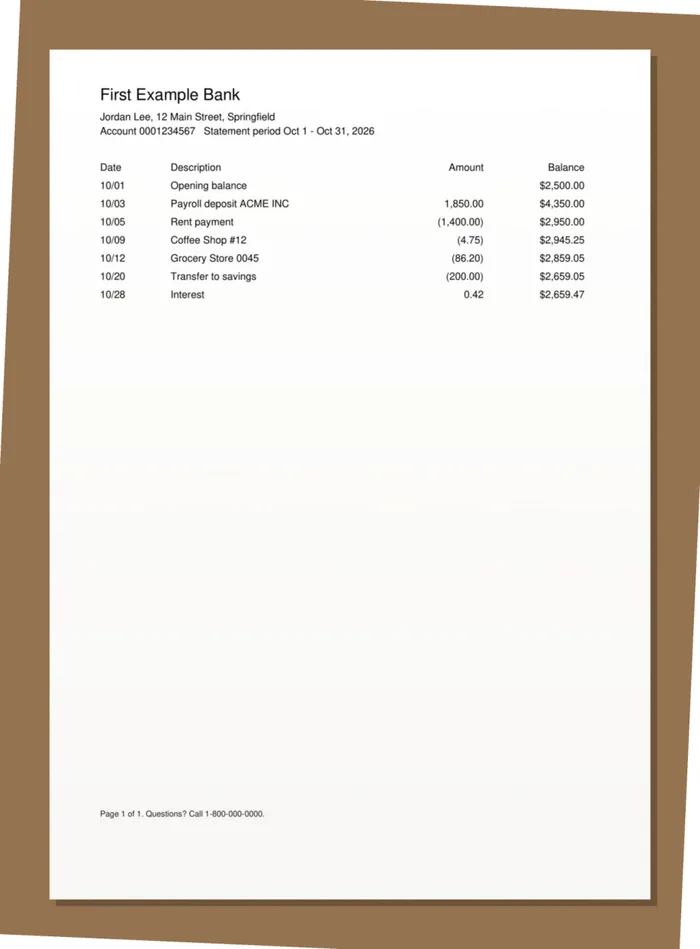
A photo of a page taken at a slight angle is straightened before it's read, so lines and table rows come out level. Pages that already have text are kept exactly as they are; only the scanned pages are read.
Tips for accurate results
- Lay the page flat, in good light, and avoid shadows from your phone or hand.
- Fill the picture with the page, and hold the phone straight above it.
- When scanning, 300 dpi in black and white or greyscale is plenty.
- Printed text reads best. Handwriting and decorative fonts are often misread, so check names and numbers that matter.
What you can do next
Once your PDF is searchable, the other tools can read it too: pull its tables into a spreadsheet with PDF to Excel, or ask questions about it with Chat with PDF.
Common questions
- What is OCR?
- OCR (optical character recognition) reads the letters in a picture of text, like a scan or a photo, and turns them into real text you can search and copy.
- Which languages does it read?
- English and French.
- How many pages can I do at once?
- Up to 30 pages per file. Split longer scans into parts first.
- Is it free, and is my file kept?
- It's free without an account, and your file is processed and deleted straight away. We never store or share it.